Antivirus Flux
- 4.2
- Rating
- 10.00M
- Installs
- Free
- Price

 Analysis by App-foxy
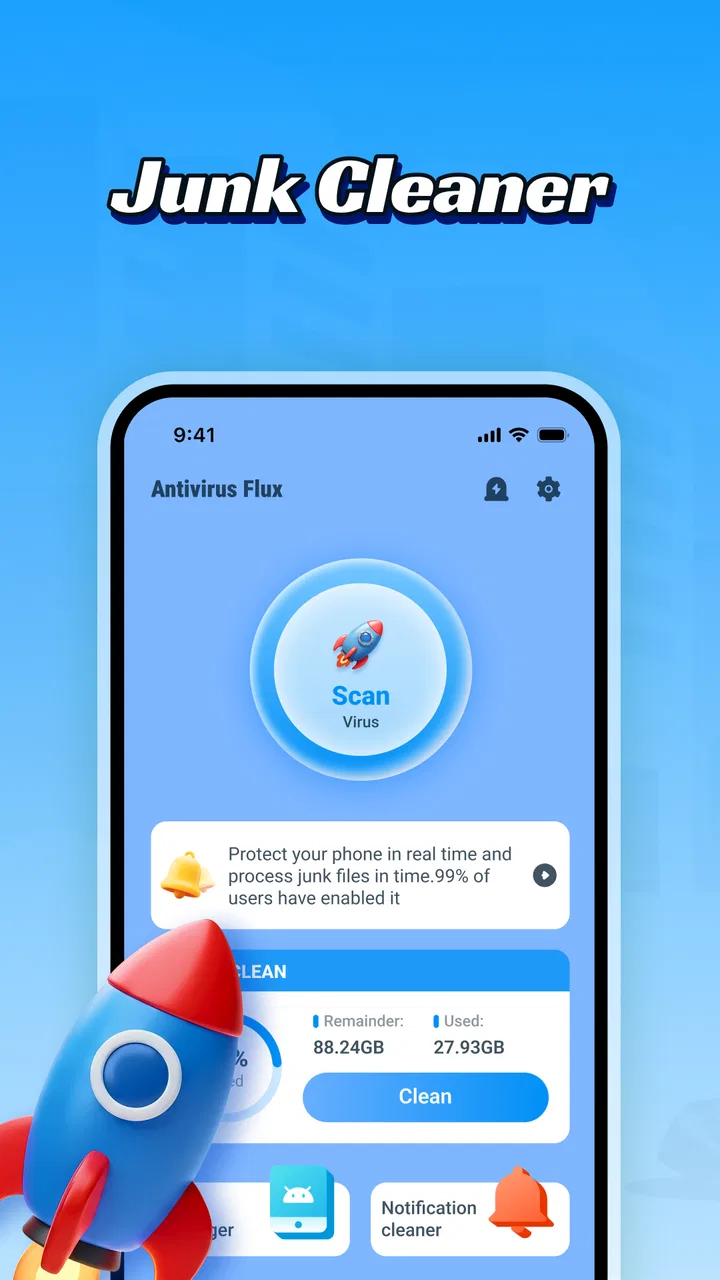
I approached Antivirus Flux as a practical phone-maintenance tool rather than expecting it to solve every Android problem in one tap. Its purpose is straightforward: help clean unwanted files and check a device for viruses. That makes it appealing when storage is tight, the phone feels cluttered, or an unfamiliar app has raised a security concern. My experience is that the useful part is less about pressing a dramatic “clean” button and more about reviewing what the app identifies before deciding what should actually be removed.
Developed by Leslies Gaming, this free Tools app is aimed at everyday Android users, not only people who understand storage categories or mobile security terminology. It is available for users aged Everyone, supports Android 7.0 and later, and currently appears as version 2.0.0.0. Its public reach is substantial, with over 10 million installs, while the average score sits at 4.0 from around 15 thousand ratings. Those figures suggest that many people find the basic idea useful, although they do not guarantee the same result on every phone.
Where Antivirus Flux Can Feel Less Simple Than Expected
The first point where I would expect users to get stuck is the gap between “junk files” and files they personally recognize. A cleaning tool may identify temporary material, leftover downloads, cached content, or other items that look unnecessary from a technical perspective. That does not automatically mean every item is useless to you. A downloaded document, an offline video, or an image saved by another app can be important even if it contributes to a cluttered storage view.
You May Also Like

 Blood Strike: 2.5 Anniversary
Blood Strike’s Loadouts Turn Every Drop Into a Tactical Gamble
A close look at Blood Strike’s custom loadouts: how fast access to signature weapons reshapes its battle royale rhythm, rewards preparation, and narrows the gap between fights.

 Pandora - Music & Podcasts
Pandora’s Music Is Easy to Start, but Harder to Recover
Pandora’s strength is its low-effort path from a seed to a station. Its weak spot is how much confidence it asks you to place in connection, setup, and quiet recovery.

 8 Ball Pool
 Is Built on Rivalries, Rematches, and Routine
A close look at the rivalries, rematches, shared routines, and unanswered safety questions that turn a quick pool match into a persistent mobile community.

 Samsung Music
’s Quiet Strength Is Playing What You Already Own
Its reach comes less from spectacle than from dependable access to a personal library. That simplicity is both the app’s strongest retention engine and its ceiling.

 AccuWeather: Weather Radar
AccuWeather Review: A Quick, Clear Forecast for Everyday Decisions
For everyday plans, the best forecast is the one you can understand quickly. AccuWeather makes rain timing, radar, and local conditions easy to act on, with a few trade-offs.

 Hill Climb Racing
Why Hill Climb Racing Still Turns Crashes Into One More Run
A tiny car, a bumpy hill and one more upgrade: Hill Climb Racing keeps resurfacing because its simple chaos makes every near-miss feel personal.
More From Our News Desk



For that reason, I would not treat the first scan as permission to delete everything immediately. I would inspect the categories and names shown, especially if the phone contains work files, school material, travel documents, or media that has not been backed up. The safest cleaning habit is to review before removing, even when the app presents the cleanup as routine.
Another possible source of confusion is expecting the antivirus side to behave like a complete replacement for every security measure on a phone. Antivirus Flux is useful as a focused check, but a scan cannot make unsafe browsing, questionable downloads, or careless account sharing harmless. If a warning appears, I would treat it as a prompt to investigate the related app or file rather than assuming that the scan alone has resolved the risk.
The app’s short store label, “Antivirus Flux,” puts the security purpose front and center, but the broader description also makes clear that cleanup is part of the package. I found that combination more useful than having two unrelated tools, because storage problems and security worries often appear together. Still, the two jobs require different decisions: cleaning is about reclaiming space, while virus detection is about identifying potentially harmful content. They should not be handled as though they were the same operation.
Users can also get stuck when a scan appears to take longer than expected or when the result seems unchanged after cleaning. In those situations, repeating the same action immediately is not always helpful. A scan may be looking at a large amount of content, or the space being used may belong to personal media and installed applications rather than removable clutter. If the phone has very little free space, I would first close other demanding apps and allow the tool to finish without switching repeatedly between screens.
What I would check before the first scan
Before using the cleaner, I would confirm that the phone is running Android 7.0 or newer and that the app has finished installing properly. That sounds obvious, but older devices often behave differently from newer ones, especially when storage is nearly full. I would also make sure the battery is not critically low and avoid starting the first scan while downloading a large file or updating several apps at once.
My next check would be the phone’s own storage screen. This gives me a reference point before Antivirus Flux makes any suggestions. If the system settings show that photos, videos, or large applications use most of the space, a junk-file cleaner is unlikely to create a dramatic change. In that case, I would use the app to examine disposable material, then manage the largest personal files separately.
I would also look at the app’s scan result with a skeptical but fair eye. A large total can sound impressive, yet the practical value depends on what makes up that total. Temporary files are usually easier to consider than personal files, and duplicate-looking items deserve extra care because filenames do not always tell the whole story. If something is unfamiliar, I would open it through the phone’s normal file tools or check which app created it before deleting it.
The same preparation matters for the virus check. I would make a note of any app or file that caused the concern, including when the unusual behavior began. That gives the scan a useful context. If the phone became slow after installing one particular application, I would not simply run a broad scan and forget the recent installation. I would review that app directly and consider whether removing it is the more sensible next step.
One practical tip is to clean in small stages rather than trying to change the whole device at once. I would scan, review, remove only the items I understand, and then check the phone again. This makes it easier to notice whether the storage problem improved and reduces the chance of deleting something needed later. It also turns Antivirus Flux into a maintenance aid instead of an automatic decision-maker.
Recovering when a scan or cleanup does not go smoothly
If the app stops responding, shows an incomplete result, or returns to its starting screen, I would begin with simple recovery steps. I would close it, reopen it, and wait for the phone to settle before trying again. I would also check whether the device has enough free space for normal operation. A phone that is almost completely full can make many apps unreliable, including the tool intended to help recover space.
Restarting the phone is another sensible step when the problem appears temporary. After the restart, I would avoid launching several cleaners or security tools together. Running multiple maintenance apps at the same time can make it harder to tell which one is working and may add extra background activity. Antivirus Flux is most useful when it has a clear task and the phone is not being asked to perform several overlapping scans.
If a cleanup finishes but the storage figure barely changes, I would compare the categories rather than assume the process failed. The app may have removed disposable material while the main storage pressure comes from recordings, photographs, messaging attachments, or large applications. In that situation, the recovery workflow should move to the phone’s storage settings and the relevant media apps. Antivirus Flux cannot turn personal content into junk simply because it occupies a lot of space.
When a security scan produces a concerning result, I would avoid downloading another unknown “fix” immediately. I would note the name of the flagged item, stop opening it, and review the original source. If it is an application I do not recognize or no longer need, uninstalling it through the normal Android settings is a clear next step. If the item is important, I would preserve essential data first and seek help from a trusted technical source rather than deleting blindly.
There is also a useful distinction between a warning and a performance complaint. A phone can feel slow because of low storage, an aging battery, heat, a system update, or an app that is using too many resources. A virus check may be reassuring, but it cannot diagnose every cause of lag. I would use the result as one piece of the investigation, not as a universal explanation.
For routine maintenance, I would run the cleaner only when there is a reason, such as a storage warning or a noticeable buildup of temporary material. Constantly repeating scans can become a habit without producing a meaningful benefit. A more thoughtful schedule is to check after heavy downloading, long periods of offline viewing, or a major change in the apps installed on the phone.
When Antivirus Flux is not the cause of the problem
It is easy to blame a newly installed tool when a phone starts behaving differently, but the timing may be coincidental. If another app began updating, the operating system changed, or the device became unusually warm, those events deserve attention too. I would compare the symptoms: storage warnings point toward space management, pop-ups may point toward a troublesome app or browser setting, and sudden battery drain may have a different cause altogether.
Antivirus Flux is also not the best answer for every storage task. If I needed to organize a large photo library, I would prefer the gallery or cloud-storage tools designed for that job. If I wanted to remove a single application and all of its associated content, Android’s own app-management screen may provide a clearer path. If I needed detailed control over folders, a dedicated file manager would usually be more suitable than a broad cleaning interface.
That comparison is where the app’s strengths and limits become clear. Compared with relying only on Android’s built-in storage suggestions, Antivirus Flux offers a more focused combination of cleanup and virus checking. Compared with a specialist file manager, it is less appropriate for careful folder-by-folder organization. Compared with a dedicated security suite, it may appeal to someone who wants a simpler tool, but a person seeking a wider security system should look closely at the capabilities of a specialist alternative before choosing.
I would especially hesitate to recommend it as the first choice for someone who wants detailed explanations for every detected item. A general-purpose tool is convenient, but convenience can come at the cost of fine-grained control. Users who regularly manage development files, large media projects, encrypted archives, or multiple storage locations may prefer a solution that exposes more technical detail.
Everyday situations where the app makes sense
Imagine a phone that has become difficult to use during a busy week. The owner has downloaded several travel documents, received many message attachments, and installed a few temporary apps. A storage warning appears just before an important photograph needs to be taken. In that situation, I would use Antivirus Flux to identify removable clutter, review the result carefully, and then check the phone’s storage screen to find the largest remaining categories. The app can help create breathing room, but the final cleanup may still involve deleting old media manually.
Another realistic case is a family member who notices unexpected pop-ups after installing an unfamiliar application. I would use the virus-detection function as an initial check, but I would also inspect recently installed apps and remove anything suspicious through Android’s normal controls. The value here is that the app gives the user a structured place to begin. Its limitation is that a scan should not replace common-sense investigation.
For a less urgent workflow, I would use it after a long period of downloading podcasts, documents, or offline content. I would look for temporary leftovers, then keep the files I intentionally saved. This is a better fit for the app than using it as a daily ritual. It keeps the process connected to a real storage need and makes the result easier to judge.
Because the app is free, it is also easy to try without committing money. That lowers the barrier for someone who wants a single tool covering both cleanup and a basic security check. However, free does not mean risk-free decision-making: I would still read each result and avoid removing anything whose purpose I cannot identify.
Who should use it and who should choose something else
I think Antivirus Flux is best suited to Android users who want a simple starting point for two common concerns: unnecessary files and possible malware. It makes sense for people who do not want to learn a complex file-management system before performing basic maintenance. Its Everyone age rating also fits a broad household audience, although younger or less experienced users should still be guided before deleting personal content.
It is less suitable for someone who already understands Android storage deeply and wants complete manual control. That user may get more value from built-in settings, a trusted file manager, or a specialized security product. I would also look elsewhere if the main problem is a damaged battery, poor mobile reception, an account issue, or an application that crashes for reasons unrelated to storage or malware.
The developer, Leslies Gaming, has made a tool with an approachable purpose, and the large install base indicates that it has reached many Android users. Still, popularity should not replace personal testing. Phones differ in manufacturer software, storage layout, and the kinds of files they accumulate. A cleanup result that is useful on one device may be modest on another.
My practical verdict after using its approach
Antivirus Flux is a sensible free option when I want one accessible place to begin checking phone clutter and possible security problems. I like the combined focus because it matches the way real problems appear: a phone may be low on space while the owner is also unsure about a recently downloaded file. The app’s value is strongest when I use it as a guide and keep control over the final decision.
The main friction is not necessarily the scanning itself; it is knowing what the result means. Users who delete without reviewing categories may remove content they wanted, while users expecting a cleaner to fix every performance issue may be disappointed. The better workflow is simple: compare storage first, scan one area at a time, inspect unfamiliar results, and use Android’s own settings when the problem clearly belongs elsewhere.
With its free price, support for Android 7.0 and later, current version 2.0.0.0, and broad availability, it is easy to test on a compatible device. I would recommend it to a friend who wants straightforward maintenance without paying for a more elaborate suite. I would not present it as a complete security strategy or a replacement for careful file management. Used with that realistic expectation, Antivirus Flux is a practical first stop, not a magic repair button.
FAQs for Antivirus Flux
01What is Antivirus Flux and what does it do?
Antivirus Flux is presented as a mobile security application designed to help users detect and manage potential threats on their device. Depending on the version and platform, its tools may include app scanning, file checking, privacy-related monitoring, and security alerts. Before installing, review the official store description carefully because available features can differ between Android and iOS.
02Is Antivirus Flux free to download and use?
Antivirus Flux may be available as a free download, but some functions could require a subscription, one-time purchase, or in-app payment. Users should check the pricing section in Google Play or the App Store before starting a trial. Pay particular attention to renewal terms, trial duration, and whether cancelling the app removes the subscription automatically, as it usually does not.
03Does Antivirus Flux protect my phone in real time?
The level of real-time protection depends on the operating system and the permissions supported by the application. Android security apps may offer broader scanning and monitoring options, while iOS limits how third-party apps can inspect other applications and system areas. Antivirus Flux should therefore be treated as an additional security tool, not a complete replacement for system updates, safe browsing habits, and official device protections.
04What permissions does Antivirus Flux request, and are they safe?
During setup, Antivirus Flux may request access related to files, installed applications, notifications, network activity, or device usage, depending on its advertised features. These permissions can be necessary for scanning and alerts, but users should read each request rather than approving everything automatically. If a permission seems unrelated to the app’s purpose, deny it and verify the developer’s privacy policy before continuing.
05Will Antivirus Flux slow down my device or affect battery life?
Any security application that scans files, checks applications, or runs background monitoring can use processing power, memory, data, and battery. In normal use, the impact may be modest, but older phones or devices with limited storage could experience slower performance during scans. To reduce the effect, schedule scans when convenient, keep the app updated, and avoid running several security tools simultaneously.
Pros
- Simple interface that is easy for beginners to navigate
- Quick scans use minimal battery during everyday use
- Real-time protection helps monitor newly installed apps
- Useful alerts can highlight potentially risky files or activity
- Lightweight design keeps storage and performance demands low
Cons
- Some advanced security tools may require a paid plan
- Scan results may need manual review to avoid unnecessary removals
- Protection can depend on regularly updated virus definitions
- Background monitoring may affect battery life on older devices
- Extra permissions may be requested for full security coverage

Antivirus Flux
Gallery